
 This is the don’t-make-the-same-mistakes-I-did post. Enjoy.
Things I Recommend you Don’t Buy
1. Don’t buy at Canon 1Ds Mark lll
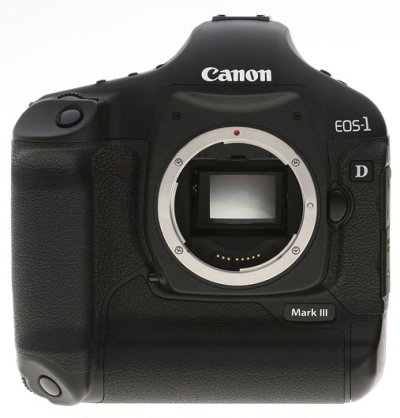 Don’t buy a Canon 1Ds Mark lll. Buy the new 5D instead and wait for whatever is around the corner coming from Nikon. It just so happens that I have bought my staff three of these cameras, so, um, I guess I kind of regret that…Doh! Canon is for sure going to launch a bigger sensor camera that will top the Mark III and my guess is that they will do so within the next six months. It will probably also have a slightly bigger sensor than the full-frame.
2. Don’t buy at a PC for Image or Film processing.
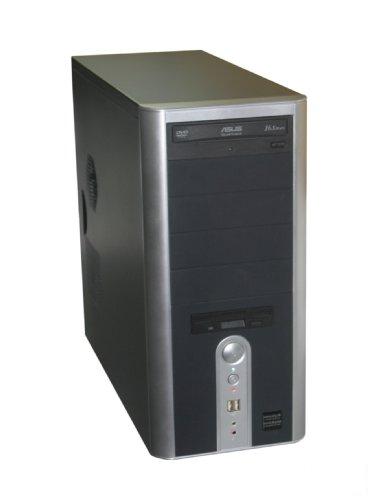 Don’t buy a PC! Any PC! They are just not meant for working with images. I really regret starting out as a PC guy and investing in PCs for my first employees. I forked out for expensive, good quality PCs with 4GB of super fast memory, raptor hard drives and great monitors. I now use only Macs and my expensive PCs stand in my storage area like bad decorations. Drat.
3. Don’t buy at a Mighty Mouse or a Mac wireless keyboard.
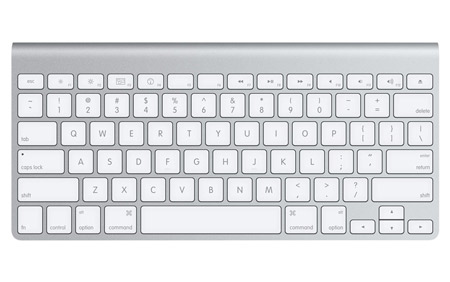 Don’t buy a Mighty Mouse, the new thin Apple keyboard or any wireless input device. When using Photoshop all day you need precise input devices. The Apple mighty mouse and their new ultra thin keyboard are meant to be pretty before practical. This one aspect irritated me so much when I was going from PC to Mac that I was close to giving up the transition. To this day I am still irritated that Apple has not given us better ways for adjusting the mouse speed and acceleration and still doesn’t have a “high performance” mouse available. Get a hold of an old Mac keyboard, the bigger ones, and get a hold of a Logitech G5 mouse. You’ll be much better off with them than with what Apple offers today. The Logitech G5 runs well even without a driver, but make sure you use a good surface for the
 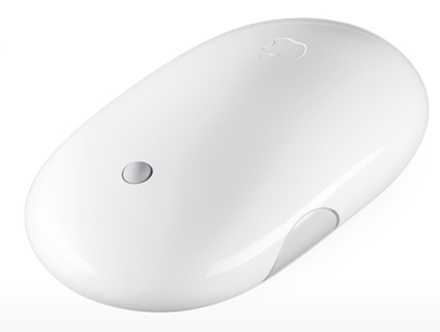 sensor to pick up the movement. A good surface has texture and acceleration and still doesn’t have a “high performance” mouse available.
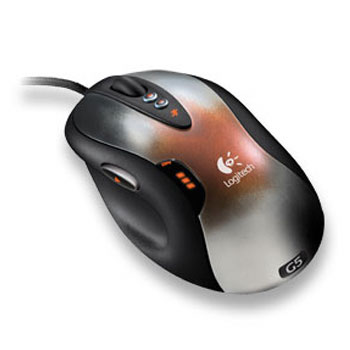 Get a hold on the old mac keyboards, the bigger ones, and get a hold of the Logitech G5 mouse. You’ll be much better off with them than what Apple offers today. The Logitech G5 runs well even without a driver, but make sure you use a good surface for the sensor to pick up the movement. A good surface has texture.
4. Don’t buy Battery Packs
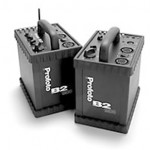 Don’t buy large battery packs and lights. Here’s a better and cheaper alternative: buy a couple of compact heads that run on normal electricity and a generator for when you want to be mobile. Put the generator far away from the shoot and bring a long extension cord. The thing they don’t tell you anywhere is that the batteries for the power packs are so heavy that you could just as well have brought along a compact generator, which will run for way longer than the batteries and will generate much more power. Battery packs sometimes take more than two seconds to charge between flashes, which is quite irritating. Compacts flashes charge quickly, so for a superior and more cost efficient setup, buy compact heads instead. My favorite is the Profoto Compact 600R (radio). We have 12 of those in my studio.
5. Don’t buy a fancy car.
 Don’t buy a fancy car. Your models and assistants will just want more pay and you’ll spend more money on gas.
6. Don’t buy cheap basic equipment
 Don’t buy cheap basic equipment. It’s a waste of money because you will replace it with better equipment along the way.
7. Don’t buy the Manfrotto Neotech Monopod….unless…
 You see my video on how to prepare this device for professional use. If you don’t make these small adjustments you end up with a useless product that will last three to five shoots and then be so worn down that it’s useless. That is why the “Manfrotto Neotech” is under things you should not buy, because straight from the factory, it’s useless.
8. Don’t buy any off these lenses. They are too unsharp.
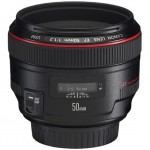 Don’t buy: the canon 35mm 1.4L, the canon 50mm 1.2L or the canon 24-105mm 4L. They under-perform in sharpness so much that they are not usable for fashion or stock. (The canon 24-105mm is ok above f9). The 35mm 1.4L can be very sharp, but two out of three are lemons and you need to return them. Therefore, don’t buy the lens unless you don’t mind returning it several times if you are unsatisfied.
Things I am really glad I bought.
1. Get an Apple X-serve and X-raid
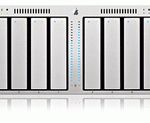 My Apple X-serve and X-raid with 7 Terabytes of storage. Once we resolved the write permission issues we had starting out (and still have a little today) this machine just worked and never failed. It just runs and runs. Simply a fantastic piece of hardware with read and write speeds of up to 250mb per second. The Mac Server hardware FTP solution is fantastic, yet very simple, and again, it just works!
2. Get a Wacom Pen
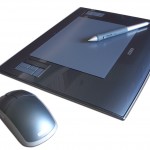 A Wacom pen. Even though it took me a full week of hand cramps to get this input device under control, I have NOT regretted learning to use this wonderful tool. Today the Wacom is a part of my workday and basically anything I do in Photoshop. I use the Wacom Intuos4 medium and think this is a perfect match between size and precision.
3. Get Google Documents.
 Goggle Docs, Calendar and Gmail. My whole department runs Gmail, a shared G-calender and have tons of shared docs. No one in my department saves any documents or spreadcheets on any computers or hard drive. It’s all Google Docs. This way we can edit, share and discuss real-time the things we are working on. Perfect for any department. My arcurs.com email is forwarded to my gmail account and my gmail account is set up so that my reply address is also from my arcurs.com address. Sending huge files among two gmail accounts takes only seconds – perfect for the creative person. Gmail accounts don’t get spam – fantastic!
4. Get a workstation with Raid.
 My maxed out Mac workstation. 32GB of RAM in my workstation. A true time/life saver. My primary workstation is a Mac Quad Core with 4TB in raid and reads with speeds of 200mb sec. A pure pleasure to work with and I have never regret a single penny I spent on this machine.
5. Get an apple 30 Inch Cinema display.
 A 30 inch cinema. A perfect monitor. Yes…there are monitors out there that have better colors and better contrast such as the DELL 24″. Unfortunately such monitors display your images too good and you end up, under-saturating, under contrasting and sometimes under exposing as well. The 30″ apple cinema is perfectly “shitty” in an ironic way, which makes it “not shitty” but pretty darn good!
6. Get 1Password for mac.
 1Password for mac. Could not live without it for one day. Remembers your passwords and log-ins and works perfectly. This comes in a version for PC called Roboform and works just as well.
7. Lenses I love and that are sharp. (added)
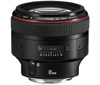 The canon 135mm, 2.0L, the canon 85mm, 1.2L, the canon 200mm, 2.0L and the canon 70-200mm 4.0L. I Prefer the new Canon 70-200mm USM IS, 4.0L over the old Canon 70-200mm, 2.8L USM IS. The new one fringe less and is sharper or as sharp as the older.






Would you guys recommend the 50mm f1.4 over the 1.2? I have the 1.8 -and it’s tack sharp – but the AF on it is utter crap.
Forget what I posted about the live.com rebates. It looks like that program has been done away with. I bought my 70-200 with it just in time. It may come back, but check this site here for updates. http://www.abevoelker.com/livesearch/
Hi Yuri,
you recommend the new 5D Mark II over the 1D Mark IIIs. However I have the new 5D and one thing that you strongly recommend in one of your videos is the silent shutter mode. As far as I know beyond the silent mode in the LiveView there is only the Cn Function to make the cam bring up the mirror when u press first time and shoot when u press second time. The silent mode however that u described shoots when u release. Would you say that it brings sharper images to use the lock mirror function on the 5D mark II or would u say it doesn’t adequately replace the silent mode of the hassel or the 1D.
And as for the lenses. I believe it really comes to a bit of luck that u have with your piece in terms of sharpness. I own a few L Lenses which you would consider having better quality but my absolute sharpest lens is the Canon 50mm f1.4 Lens. Saying this I bet there will be many other photographers saying exactly the opposite because they maybe got a bad piece of the 50mm. It wouldn’t be bad to have a easy to do but precise setting description e.g.a certain picture on white paper that you would be able to photograph under defined conditions (light, distance etc.) and then the raw file could be analysed within a piece of software that could tell u if its sharp or not. Everything else is difficult to judge because eveyone has a different setting, lighting etc.
Martin
I just want to thank Yuri personally for giving me some tips on how to improve my stock photography. He was very helpful. I went ahead and sold my 70-200L 2.8 lens and purchased two Prime Canon L lens 35 1.4F and the 135 2.0F. I know he said I should go with the 85L 1.2F. But I decided I needed something in the wider end to complement the longer end. So I went with the those two to start off with. I just received them yesteday and after a few test shots I am so impressed with the sharpness, color and contrast of these lenses. I am going to start incorporating DOF control more in my photos…..I was always using around F8 with my 24-105L (that seemed to be the sweet spot for sharpness)…..I am going to start shooting in the 2.0F range…I know it will take a little practice but I already like the results I am getting….thanks again Yuri for taking the time to help me out.
Reuben
come on man … the Canon 50L is sharp!!!! you might have a bad copy…
Thanks for the tips Yuri! 🙂
truth,
Mac are very good for regular user, so let the regular user get the thing he is able to manage. Sure Apple is overpriced in the matter of hardware and “all in one” software for home use that is included, but bear in mind you do not have to spent time and money on IT consultant to get it started unless You are IT consultant yourself. Its much easier to bring system to work with Mac Pro for regular user as any normal photographer used to be 🙂
Hi Yuri, Im only starting to get into the SLR range of cameras again after a long break since college. I bought myself an Olympus e410 last summer and its doing what it needs to do for my skill level, but what would you suggest I move on to for the next level of experience?
cheers
Lee
Oh man! I am depressed / confused! So many opinions and options — I’ve just convinced myself that dropping $1500 on a pro monitor (eizo or LaCie, still deciding) is well worth it.
I have a 24″ Apple Cinema display and the contrast is just too good! I move the image over to my Apple PowerBook G4 monitor and the photo looks flat and dull 🙁
Obviously you don’t have this problem your images are amazing. Hmmm… confused again!
GREAT Information 🙂
Hi,
I love your two lists of recommended an not recommended things. I would like to know if you would recommend the 70-200mm f4 (non IS version) L for my 1,6crop 40d? Is 70mm on the 40d (112mm) wide enought for portraits? What do you think of the Canon 50mm F1.4?
Thanks
Wigand
I wanted to note that if you buy the 5D mark II over the 1DS Mark III you won’t get the “automatic silent shooting mode” the mk3 has.
I really doubt Canon will release a larger than full frame camera. Even if they do, that would require a news lens mount and new lenses, as the current EF image circle would be too small. So that would require getting a whole new system of lenses.
They’ll probably release a 35 – 38MP full frame or something like that – as you’d get that with the same pixel pitch as the current 50D.
Good guide.
I’m wondering about color rendition and accuracy from different camera makes, I have a nikon D300 and the skin tones are always red and seem to lack much tonal range, do you find that the cannon cameras have better color for skin tones and is there much difference between models such as a 5D and 1ds mk3?
to Kate, if you profile your monitor with a spider or similar device you shouldnt have that problem. It will also help to learn about color profiles, without that knowledge everything is guess work. I bought an Eizo and before it was calibrated it was like any other monitor, once calibrated its the bomb…
Dear Yuri…
If your PCs are “just standing there in your storage area unused” you are very welcome to clear your storage and donate them for my personal use – I’ll cover the shipping…
Two happy guys, clean storage and wanted PC’s (everybody needs love) – a perfect world…
Regards
Hi there…
…I was in the market for a battery pack but now considering the compact generator thingy. I have no electrical background but would 1000W max be enough to drive 3 compact flash heads with 600Ws? That would be quite interesting…and also could be used in a studio environment 🙂
MAC vs PC
I like people with strong points of view, but the MAC/PC argument its really dumb. I’m all mac at home and PC at work and there’s not difference when working on PS or Lightroom or any other program available for both operating systems. It sounds like you might have gotten taken and “forced” to buy some expensive PC…
Most people don’t need a computer with 32GB of RAM and a PC running XP with the same specs will perform in much the same way an Apple.
A simple Dell with 4GB of RAM and RAID drives costs about $1500 if you skip RAID you can be close $1100…. what can you buy with that on Apple territory? a MacBook?
Peace!
Thanks for the info, Yuri. You’re definately recommended a lot of gear that is massively expensive! But if that’s what it takes to produce the shots you’re getting – then so be it. You know, I think a write up on your most valued experiences as a photographer vs the things that were a waste of time, would be just as valuable if not much more valuable than this write up on gear.
I think the whole Mac vs PC thing really starts a lot of arguments doesn’t it? That’s dangerous territory. What you’re using in your Mac is more like server technology – hence the dual cpu sockets and 8 RAM slots. That’s some serious horsepower – so much in fact that it’s meant to serve data to thousands of Apache/SQL/Mail/FTP users at the same time. You’re just one person and you have all that horsepower on tap, just for you. A bit greedy eh? That’s why you’re cooking along with tremendous speed 😉
Thanks for confirming the 85mm and 70-200 F4 for me. I had read all the reviews and some real world experience in your field has given me the confidence that those two lenses are going to work for me and what I’m doing. Cheers!
Mike
The most precious asset in Yuri’s career cannot be bought. It’s called talent. And this my friends, cannot be bought not acquired after birth. Good material only helps, doesn’t make a good photographer. I wish I was talented!
MAC 🙂
You would need 2000w wouldn’t you?
Hi Yuri,
I read this post few months ago and I could swear you said some good things about the canon 28-300 f3.5 – 5.6 L IS USM. Now I’m on the verge of buying this lens based on your recommendation (ok, I read a lots of other reviews but your opinion weighted a lot in my decision). Now I checked again and this lens is not any more in the “lenses you’re happy with” section. Have you re-edited the post, or is it just my imagination? If it’s the second, can you please advice me regarding this matter? I want to replace my 24-105 f4 L IS with 28-300 f3.5 – 5.6 L IS.
Thank you very much for sharing with us a bit from your expertise. For me it is invaluable.
Petre.
A 4GB memory module sold by Apple, and the apple care protection plan. You’ll need it:)
What you think about new canon 500D, i’m beginer and I would like to shoot and make videos too, and whitch lens you recommand?is there some better cam for those money?
Greatings from Serbia
At the moment I am taking in as much as I can…….I enjoy your site Yuri…….I’ll be checking in for quite awhile…….Have a great day….Winter in Sydney Australia, but not as cold as where your studio is
Doug Jansen
I’m surprised when people are interested in a very successful photographer’s opinions, and then they argue with them. These people are successful for a reason, so perhaps you should try to learn from them and see why their suggestions work for them.
I used to shoot live theatrical events with the old style Canon 50mm f 1.0 EF and the 85mm f 1.2 ef. The 85 was very sharp for my purposes, and the 50mm really was not usable wide open.
Yuri you must try the new wacom palet intuos 3 it is fantastic i used my intuos 1 sinc 1999 kai now i have the 3 Large model.
Mario from Greece.
correction intuos 4 🙂
PC has one great advantage over Mac OS X at present. You can use more than 2Gb of RAM for your images. Windows has been a true 64bit OS for about 6 years and OS X is still not a full 64Bit OS. This means in a workstation with more than 4Gb of RAM you can access all of it in Photoshop x64 for your images. This is important when you’re working with large images of 12Mp or more. OS X has to wait until Photoshop CS 5 to gain the same advantages.
On my workstation I had 16Gb of RAM of which 8Gb was dedicated to the OS and 4Gb was a RAM drive. For Photoshop this machine was fast, even with Opteron processors 3 years old and can still keep up with the i7 series in many tasks (other than computationally intensive). Plus you can use SSDs natively as Windows 7 has TRIM support, again something that Snow Leopard neglected to implement.
Microsoft have finally released a good OS in Windows 7, it’s fast, stable and reliable. It’s also sets the stage for future technologies such as touch screens, OpenCL and more. Like Vista before it the system has now got better support for new screen technologies and are resolution independent which XP struggled with above 24in (icons and text got too small).
OS X is no panacea, most Mac owners will blithely ignore the major issues that’s plagued the OS in recent months the most obvious is the data loss issue as a guest user. Security is also pretty lax in OS X something that may come back and haunt Apple if they market share continues to grow.
At the end of the day the arguments for OS X Vs Windows 7 are moot, both are strong and capable systems. Choose the poison that does the job for your ideology and methodology. There is no quality difference upon input/output, there is no advantage in colour management or even font management (an old Mac strong point). The hardware is essentially the same (apart from Apples own quirks) and reliability is about the same. Although Apple’s quality control is going downhill these days (Time Capsules, faulty Imac screens and so on).
Just got mine two weeks ago. It is great!
This is true and it would be great to see Mac move to 64Bit
hi Yuri.
what do you think about ef 24mm f/1.4l ii usm?.
Funny, I’ve been craving the 35mm 1.4. Damn you for putting more doubts in my head! I wouldn’t expect it to be razor sharp wide open, but I’m surprised it’s being called soft here. Hmmm, will rent before buying.
Hi Yuriy. Where did you dissapear? No new post for half a year!
What can you say about Canon EF 24-70 2.8. On the B&H there are many contradiction reviews. One say this lens is prefect and has fast/accurate auto-focus (938), others (minor) say that focus is blurry (22) and has slow focus (15). Sadly that there is no replacement for 24-70.
Hi Yuri, you said above that you wouldn’t buy Canon 24-105mm 4L lens. What would you buy as an alternative for 5DmkII within that focal range that would produce results good enough for stocks inspectors? I’m looking for some decent lens mostly for architecture & landscape shots. Thanks!
What do u think about the Sigma lenses 17-50/2.8 and 70-200/2.8 ?